This post shows how to concatenate cells in Excel.
concatenate() function concatenates cells
=concatenate(A1,A2)
Suppose we have the following data:

The & operator can be used to concatenate cells. The following image show the result of =A1&B1:

concatenate function can also be used; =concatenate(A1,B1)

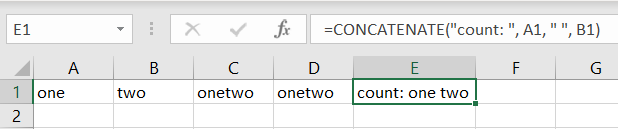
Quoted text can be used inside concatenate function to add additional text and characters. The following example adds “count: ” and space.
=concatenate(“count: “, A1, ” “, B1)