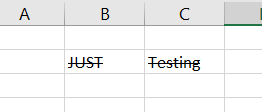
This post shows how to strikethrough text in Excel.
- Select the cells
- ctrl+shift+F
- Click on strikethrough and then OK
Select cells and press ctrl+shift+F simultaneously. You will see the format cells window. Click to check Strikethrough and click on OK.

You should see the following: