The following steps show how to transpose data in Excel. Transposition refers to switching between rows and columns. See the three step process below:

1 – copy a dataset
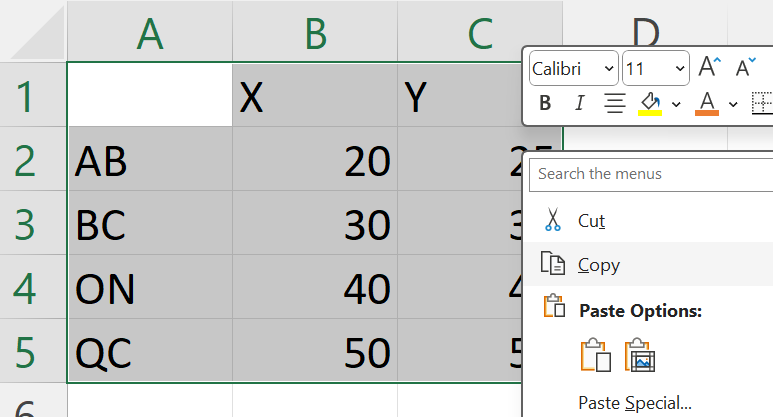
2 – before you paste, right-click on the first destination cell and click on Paste Special

3 – select Transpose

